
Your user manual
Busy Fox · Printer help
Phomemo M08F user guide
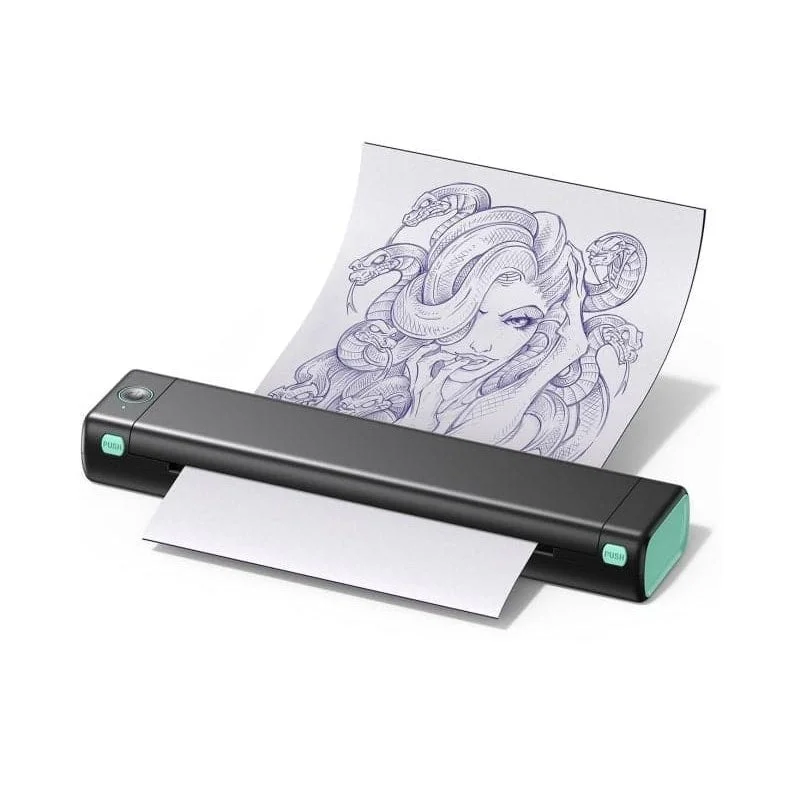
Set up your tattoo printer, print stencils and solve printing problems.
Phomemo M08F
Your mobile app
Phomemo
See how it’s done
Set up your M08F tattoo printer and connect the app
Phomemo · phone
Load tattoo transfer paper and print a stencil
Phomemo · phone
Make a tattoo stencil with M08F
Phomemo · phone
Connect M08F to Phomemo
Phomemo · phone
Allow Phomemo permissions on iPhone
Phomemo · iOS
Allow Phomemo permissions on Android
Phomemo · Android
Fix the M08F driver unavailable message
Driver · Windows
Install M08F on Windows
Driver · Windows
Install M08F on macOS
Driver · macOS
Restore paper detection on your M08F
Extended M08F demonstration
What do you need help with?
Setup & connection
Which app do I need?
Install Phomemo on your phone or tablet. Connect to the M08F-WS from the device list inside the app.
How do I print my own tattoo design?
- Prepare and load thermal tattoo-transfer paper, then connect the printer in the Phomemo app.
- Import a sharp image of your design. Set the size and check that the whole design fits in the print preview.
- Check the orientation, especially if the design contains lettering. Print one stencil and compare it with your original before making more copies.
Why can my phone not find the tattoo printer?
Turn on the printer and Bluetooth on your phone. Use the Phomemo app, rather than Print Master or Labelife on your phone. Allow the requested Bluetooth access; on Android, also check location access if requested. Search for M08F-WS inside Phomemo and connect there. If you previously declined access, change the permission in your phone settings before trying again.
Can I connect using the printer’s QR code?
Load suitable thermal paper and turn on the printer. Press the power button twice quickly to print the self-test with its QR code. Open the QR scanner inside the Phomemo app and scan that code to connect. If no code prints, check paper loading and battery level first.
Transfer paper & loading
How do I prepare and load tattoo transfer paper?
- Remove the loose protective sheet between the white tracing sheet and the carbon layer.
- Cut off the yellow backing along the glued seam at the top. Keep the white sheet and carbon layer together.
- Open the cover and place the paper flat, with the white side up and carbon underneath, towards the paper exit. Make sure it covers the sensor.
- Close both ends of the cover until they click into place.
Why does the app say there is no paper?
First check that the transfer paper lies flat over the paper sensor, with the white side up. Close both ends of the cover until they click and try one print.
If ‘Printer Is Out Of Paper’ remains, restore paper detection:
- Remove the paper and switch on the printer. The indicator is red.
- Hold the power button for 10–20 seconds, until the indicator flashes green twice. The printer switches off during this process; keep holding until the two green flashes, then release.
- Switch the printer on again, load the transfer paper and try one print. The video below shows these steps.
If the message says ‘The cover is opened’, follow the separate instructions below. If ‘Printer Is Out Of Paper’ persists, send us a photo of the loaded paper, the exact message and your order number.
How should I separate the carbon layer after printing?
Keep the white tracing sheet underneath and peel the carbon layer slowly from a corner.
Why does my other tattoo transfer paper not work?
Use transfer paper intended for thermal stencil printers and compatible with the M08F. Paper intended only for transferring a hand-drawn design is not a substitute for thermal printer paper. Check the paper type as well as the brand. If you are already using suitable thermal transfer paper, check that you have removed the protective sheet and yellow backing and loaded the white side up.
The app says ‘The cover is opened’, but the cover is closed. What now?
Check that both ends of the cover click fully into place. If the message persists, send us the exact message, your order number and photos of the left and right sides of the cover. The documentation below shows which parts to photograph.
Designing & printing
Should I mirror a design that contains lettering?
The lettering should read correctly after transfer. Placing the printed side of the stencil against the skin reverses the image. Before printing, check whether your file is already mirrored and which mirror setting is active in the app. Mirror the design once, rather than in both the file and the app.
Print quality & problems
Why is my tattoo stencil faint?
- Check the battery. If it is below 30%, charge the printer for two hours before printing again.
- Use suitable thermal transfer paper. Remove the protective sheet and yellow backing, then load it with the white side facing up.
- Check your source image and preview. A higher Print Density setting cannot restore detail missing from a blurry image. If the preview is sharp, increase Print Density slightly and compare one test stencil.
- If the print is still faint, follow the linked printhead-cleaning instructions, let it dry completely and try another suitable sheet if you have one.
No spare sheet or still having trouble? Use the linked support checklist.
What should I check if transfer paper wrinkles?
- Use a flat, undamaged sheet, load it straight and close both sides of the cover. Keep the paper path clear.
- If the paper folds or jams, stop printing and reload it. Do not pull against the feed.
- Open the print settings in the Phomemo app and look for Anti-Wrinkle Mode. Change one setting at a time and compare a test print. The documentation below shows the option.
If it still wrinkles, send us a photo of the loaded paper and a short video of the feeding.
What should I send support about poor stencils?
Send us the original image, a photo of the stencil, a short video of the printing process and your order number.
Also include the serial number and firmware version: connect the M08F in the Phomemo app, tap the printer icon at the top right of Home, then the arrow next to your printer. Send a screenshot of the device details showing Device ID and Firmware Version. The linked instructions include an illustration.
If you cannot find these details, contact us with the information you have.
What should I check if my stencil has white streaks or missing parts?
- Compare the original image with the print preview. Increasing print density cannot restore detail missing from a small or blurry image.
- If the preview is complete, check the battery and paper layers. Load a flat, suitable sheet with the white side facing up and close both sides of the cover.
- If parts are still missing, follow the linked printhead-cleaning instructions. Let it dry completely before printing one test stencil.
If the printer stops before finishing or parts are still missing, use the linked support checklist.
Computer printing
Can I print from a computer over Bluetooth?
No. Connect the M08F to Windows or Mac with a USB data cable and install the driver for your model and operating system. Use Bluetooth to connect to the Phomemo app on your phone or tablet.
Windows says the driver is unavailable. What should I check?
- Open the M08F download page using the link below. Choose the Windows driver for your computer: ARM or x64. You can find the system type under Settings → System → About. Install the matching driver.
- Switch on the printer and connect it with a USB data cable. The M08F does not print from Windows over Bluetooth.
- If Windows still does not detect it, follow the linked USB connection checks.
Why does Windows not recognise the printer?
- Check that the printer is switched on. If it is off, hold the power button for two to three seconds.
- Connect it directly to your computer with a USB data cable, without a hub. If your computer only has USB-C ports, connect the cable through a USB-C-to-USB-A adapter at the computer.
- Check that you installed the Windows driver for your computer: ARM or x64. Use the linked driver instructions.
Still not detected? Contact us with your Windows version and the exact error message.
How do I set up the printer on a Mac?
Install the Mac driver from the M08F download page. Turn on the printer and connect it directly to your Mac with a USB data cable. If needed, use a single USB-C-to-USB-A adapter at the computer rather than a hub. Open System Settings → Printers & Scanners and choose Add Printer. Check that the M08F appears and select the matching printer and driver. If it does not appear, check power and the cable first. Send us your macOS version and a screenshot of the printer list if it is still missing.
Which printer name should I choose for tattoo printing?
Choose M08F-WS for the tattoo printer. Check that this matches your printer model when selecting the driver and print destination.
My Mac blocks the driver installation. What should I do?
- Download the Mac driver for M08F directly from Phomemo. The setup instructions below include the download link.
- Does macOS say the developer cannot be verified? Check where the file came from. If you trust its source, follow the Apple instructions below to allow only that file through System Settings → Privacy & Security → Open Anyway.
- Does macOS say the file is damaged or will harm your computer? Do not open it using an exception. Send us the exact message, your macOS version and the downloaded file name so we can help you choose the next step.
Care & power
Which charger should I use?
Use a 5 V, 2 A USB power adapter with a USB-A port and a USB-A-to-USB-C cable. The M08F does not support fast charging.
What should I check if the printer will not charge?
Use a USB-A-to-USB-C cable and a 5 V, 2 A USB-A power adapter. Check both connections and try another cable if needed. Flashing green means the printer is on and charging; alternating red and green means it is off and charging. If there is no light, the battery may be fully depleted: leave it charging for four to five hours, then check again. If it still does not respond, send us a photo of the adapter label and a short video showing the connected cable and indicator.
How do I check the battery level?
Disconnect the charging cable, load suitable thermal paper and turn on the printer. Press the power button twice quickly to print the self-test with the battery information. Check the level while the printer is unplugged; checking during charging can give an inaccurate reading.
How do I clean the printhead?
- Switch off the printer, disconnect the USB cable and let the printhead cool.
- Open the cover and remove the paper. Use the linked illustration below to identify the printhead.
- Gently wipe the printhead with an alcohol wipe to remove dirt and residue.
- Let the printhead dry completely. Reload the transfer paper with the white side facing up and close both sides of the cover. Print one test stencil.
No matching answers. Try another word or browse the topics.
Printing from a computer?
Your computer uses different software from the mobile app.
WindowsmacOS
Print via USB.
Install the M08F driver for Windows or macOS. Switch on the printer and connect it to your computer with a USB data cable. Select M08F-WS when printing with your tattoo printer.
Find the right driver.
Choose your printer model and operating system on Phomemo’s official download page.
Software & drivers at PhomemoAbout this guide and its sources
This guide brings together instructions and answers for your printer. You can consult the Phomemo brand documentation and original tutorials below. App screens and available features may vary by version.
Documentation & answers
- How do I print my own tattoo design?
- Why can my phone not find the tattoo printer?
- Why does my other tattoo transfer paper not work?
- The app says ‘The cover is opened’, but the cover is closed. What now?
- Can I print from a computer over Bluetooth?
- Windows says the driver is unavailable. What should I check?
- Why does Windows not recognise the printer?
- My Mac blocks the driver installation. What should I do?
- Which charger should I use?
Original video tutorials
- Set up your M08F tattoo printer and connect the app
- Load tattoo transfer paper and print a stencil
- Make a tattoo stencil with M08F
- Connect M08F to Phomemo
- Allow Phomemo permissions on iPhone
- Allow Phomemo permissions on Android
- Fix the M08F driver unavailable message
- Install M08F on Windows
- Install M08F on macOS
- Restore paper detection on your M08F
- Extended M08F demonstration
Still need a hand?
Tell us your printer model, which app or computer you use, and what happens when you try.