
Your mobile app
Busy Fox · Printer help
Phomemo D30D user guide
Connect your D30D to Print Master, load a label roll and create your own labels.
Phomemo D30D
See how it’s done
Load the roll and set up your D30D
Print Master · phone
Create your first label
Print Master · phone
Add and edit text in Print Master
Print Master · phone
Choose a label template in Print Master
Print Master · phone
Add icons and borders in Print Master
Print Master · phone
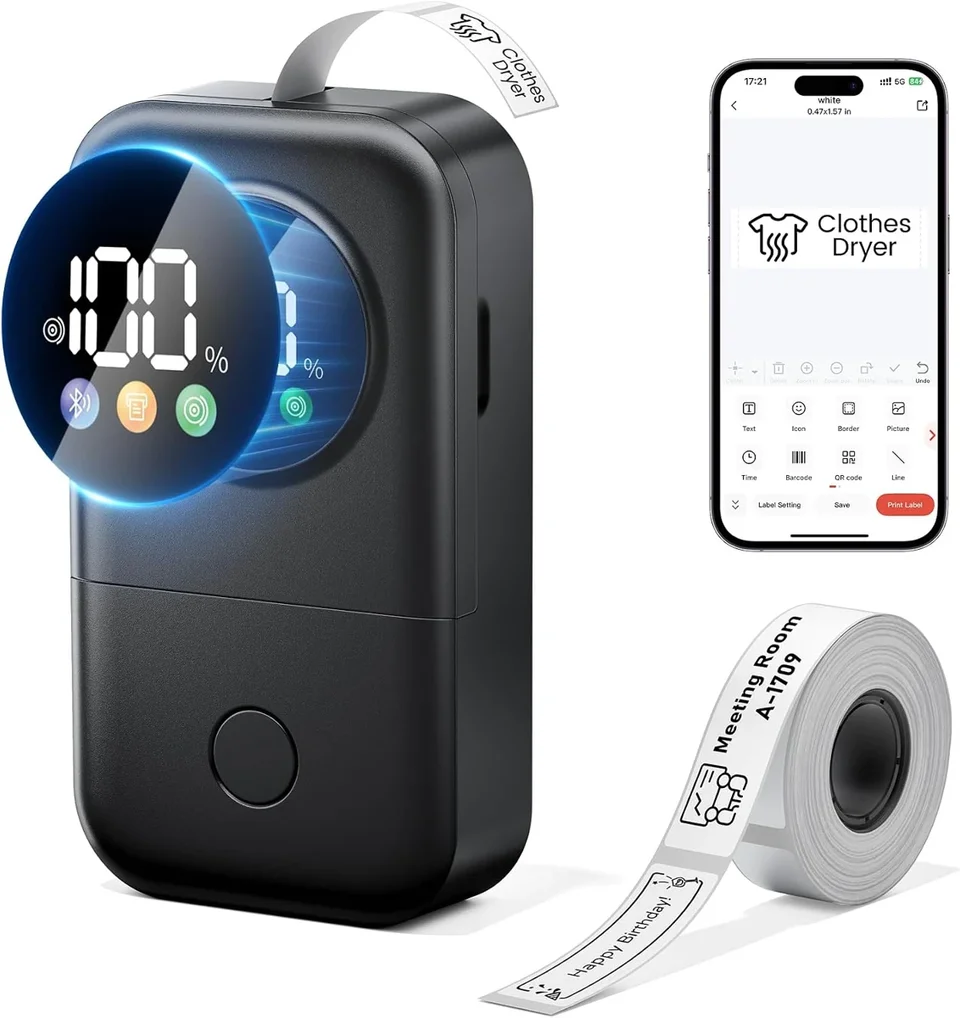
Meet the D30D status display
What do you need help with?
Setup & connection
Which app does D30D use?
Use Print Master. Connect to the D30D over Bluetooth from inside the app. If D30D is missing from the model list, update Print Master. Do not select the older D30 instead. Allow the Bluetooth permissions requested by your phone.
What does the display show?
It shows Bluetooth status, battery level, label placement, remaining paper and printing progress.
Does D30D need ink?
No. D30D uses thermal printing, so it needs compatible labels rather than ink cartridges.
Why does Print Master not find my D30D?
- Switch on the D30D and Bluetooth on your phone.
- In your phone settings, allow Print Master to use Bluetooth. On Android, also allow location access if the app requests it.
- Open Print Master and connect to D30D from inside the app, rather than the phone’s Bluetooth settings. Update the app if D30D is missing from the model list; do not select D30 instead.
If it still fails, send us your phone model, app version and the message shown.
Labels & loading
Which label widths does D30D support?
The D30D supports pre-cut and continuous labels from 9 to 15 mm wide. Choose rolls for the D30D; width alone does not determine compatibility.
Do I need to set the label size manually?
D30D uses RFID label recognition and automatic calibration with supported supplies. Check that the displayed label size is correct before printing.
What should I check if the label size looks wrong?
Check that the connected printer is D30D and that the roll is compatible with D30D. Compare the size shown in Print Master with the dimensions on the label packaging. A saved design may use a different size from the current roll. If the detected size is still wrong, do not print a whole batch: send us a screenshot and a photo of the roll packaging.
How do I load a label roll?
- Open the cover and remove any empty roll. Leave the sticker on the side of the new roll in place.
- Insert the roll with the “This side down” sticker facing down. The roll core fits into the compartment in one direction.
- Pull the label end through the outlet and close the cover. The video below shows the loading steps.
Designing & printing
How do I keep text from falling outside the label?
Match the design size to the loaded labels and keep text inside the label outline in the preview. For a longer name on a 12 × 40 mm label, run the text along the 40 mm length. Remove decorative borders or shorten the text before reducing the font size. Print one label and check that the complete name fits and is easy to read before printing the rest.
How do I use a ready-made label template?
- Connect the D30D in Print Master and check the detected label size.
- Choose a template that matches your label and replace the sample text with your own.
- Check that the full text fits in the preview. Print one label before printing the rest.
Where can I find saved labels and previous print jobs?
Open Print record or Print History in Print Master. This is where the app lists saved label templates and print history. Open the label you want to use and check its text and size before printing it again. A previous print job and a saved, editable template are not necessarily the same thing.
Why does Print Master ask for a subscription?
Print Master also offers paid app features. A subscription prompt relates to that offer, rather than a printer fault. Check the offer for the included features, price and subscription period.
Does the prompt appear when you try to do something? Send us a screenshot and your app version. Tell us what you want to do so we can help.
Care & power
Where do I connect the charging cable?
Connect the supplied charging cable to the D30D’s USB-C port. The display shows the battery level.
No matching answers. Try another word or browse the topics.
About this guide and its sources
This guide brings together instructions and answers for your printer. You can consult the Phomemo brand documentation and original tutorials below. App screens and available features may vary by version.
Documentation & answers
Still need a hand?
Tell us your printer model, which app or computer you use, and what happens when you try.